Automate stakeholder communications.
Engineering teams are moving 3 sprints ahead while stakeholders are still 2 sprints behind. SprintFast closes the gap.
Jira sprint data in, stakeholder summary out.
SprintFast reads your closed sprint issues directly from Jira and produces a polished, human-readable update ready to share with leadership and stakeholders.
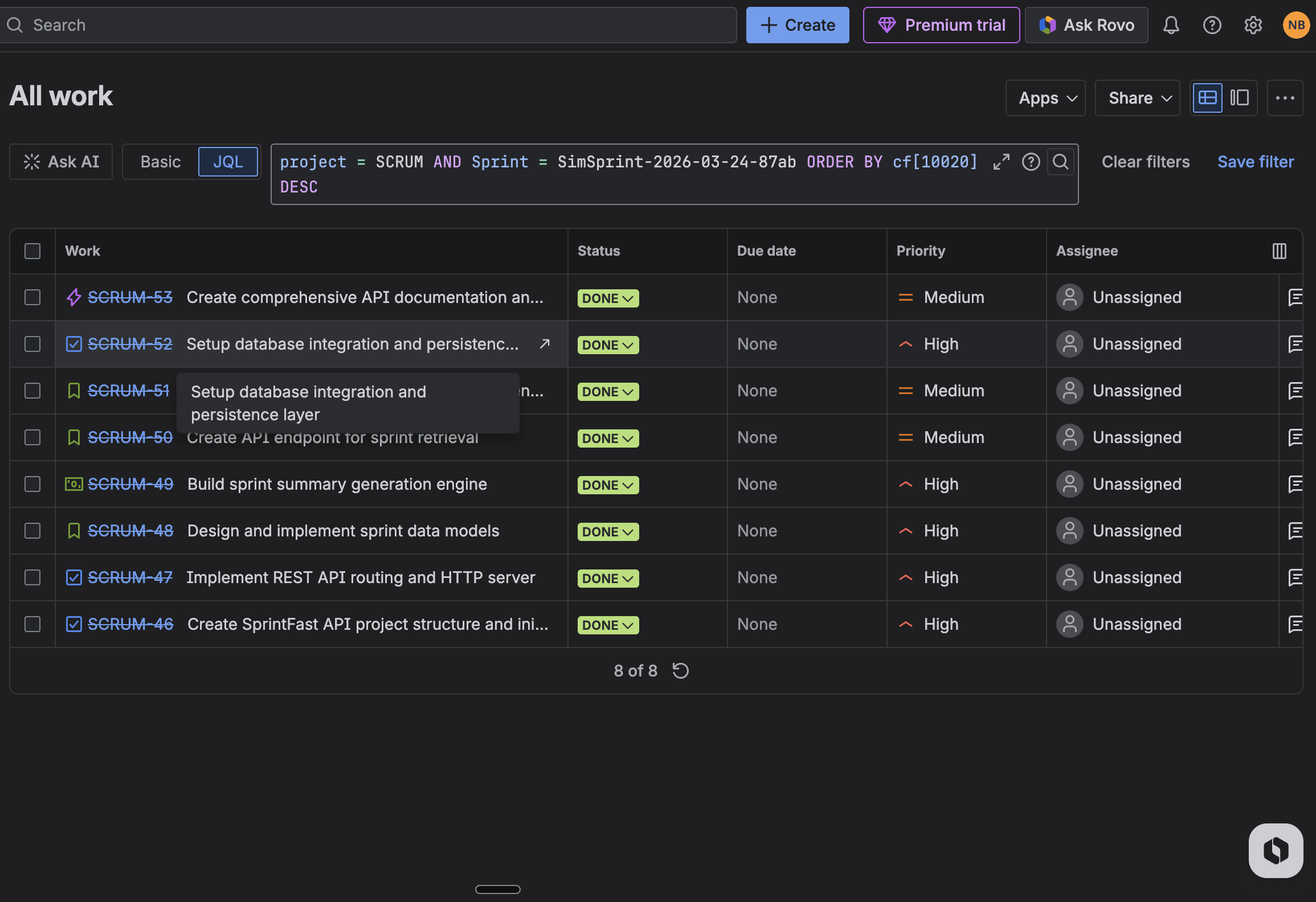
Jira Sprint
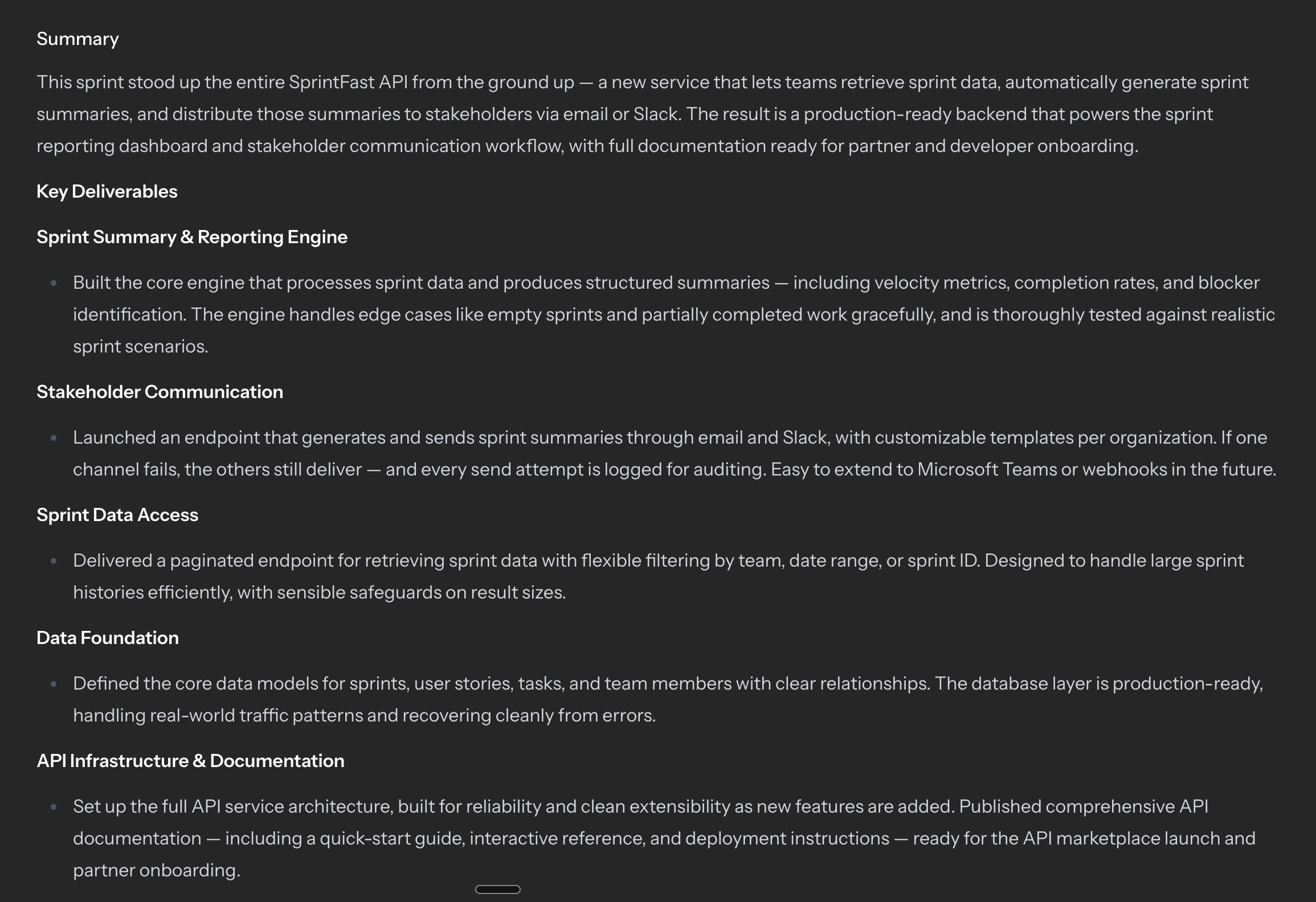
Stakeholder Summary
The draft arrives with the missing context filled in.
SprintFast is designed around the reporting gaps between tools: what finished in Jira, what changed in GitHub, and what leaders need to send next.
GitHub PR enrichment
Link Jira issues to matching pull requests so the generated summary carries implementation context instead of a flat list of ticket titles.
Draft, review, send
SprintFast gives leads a draft first, making review part of the workflow instead of a scramble in Slack five minutes before an update goes out.
Regenerate without starting over
If the first pass misses the angle, regenerate from the stored cycle data instead of rebuilding the whole summary from scratch.
Team-level history
Keep sent summaries attached to each team so stakeholders and contributors can catch up on what shipped without asking around.
Connects to the tools your team already uses.
Pull data from where the work happens and push updates to where stakeholders read them.
Data sources
Delivery channels
From sprint summary to stakeholder deck in one step.
Once your cycle summary is ready, SprintFast can turn it into a formatted PowerPoint deck. No slide assembly, no template hunting — generate, download, share.
Slides written from your sprint data
The AI reads your completed issues, metrics, and stakeholder summary and maps them to structured slide content. No copy-paste from Confluence, no status-update assembly.
A real .pptx you can open and edit
Download a fully-formatted PowerPoint file — not a screenshot, not a PDF. Present it to leadership as-is or make last-minute tweaks in the tool you already use.
Upload your team's branded template
Add your company .pptx once in team settings. SprintFast maps AI-generated content into your existing slide layouts so the deck looks like it came from your design team.
Regenerate without starting over
Sprint data stays stored with the cycle summary. If the first deck misses the angle, trigger another run with one click — no rebuilding the summary from scratch.
A reporting workflow your team will actually keep using.
SprintFast stays close to the operating rhythm already in the app: connect sources, review the draft, and share only the version that is ready.
Connect the team to the work it already ships
Attach Jira sprint or release sources at the team level so SprintFast starts from real delivery data, not a manually assembled status doc.
Review the draft before anyone else reads it
Team leads get notified when a summary is ready, can edit the wording, and decide when the message is ready to send.
Share the right version with the right people
Drafts stay with the people responsible for comms, while sent summaries become a clean history the wider team can revisit.
How much is sprint reporting costing your team?
Questions & Answers
What does SprintFast use to build a summary?
SprintFast starts with closed Jira sprint or release data and can enrich the draft with linked GitHub pull request context before generating the final write-up.
Can team leads edit the summary before it is sent?
Yes. Summaries arrive as drafts first, so leads can review, refine, and approve the message before it is marked as sent.
Does SprintFast only work for sprint reporting?
No. Teams can generate summaries for both closed Jira sprints and released Jira versions, depending on how they communicate progress.
Who can see drafts versus sent summaries?
SprintFast keeps draft controls with the people authorized to manage team communications, while sent summaries remain available as shared team history.
Pricing to fit your business needs.
Team
$999 /yr
Single team with unlimited data sources
-
Unlimited data sources (Jira, Linear, etc.)
-
Unlimited output integrations (Email, Slack, Teams, etc.)
-
Full stakeholder digests
Organisation
$4,999 /yr
Business-level, up to 15 teams
-
Everything in Team
-
Up to 15 teams
-
Aggregate digest across teams
-
Leadership roll-up reporting
Enterprise
Contact us
SSO, SOC 2, dedicated support
-
Everything in Organisation
-
Unlimited teams
-
SSO / SAML
-
SOC 2 compliance
-
Dedicated support
Keep stakeholders current without slowing engineers down.
SprintFast turns the work already tracked in Jira and GitHub into updates people can actually read, review, and trust.